Written by the ByteTechnosys NOC Team, who have been managing servers, networks, and cloud infrastructure for businesses since 2004.
A lot of businesses don’t decide to get NOC services. They stumble into the decision after the third or fourth time something goes wrong and nobody catches it until a customer does.
If your team is already stretched thin managing day-to-day IT work, monitoring often becomes the thing that quietly falls off the list. Nobody plans for it to happen. It just does, because there’s only so much a small team can watch at once.
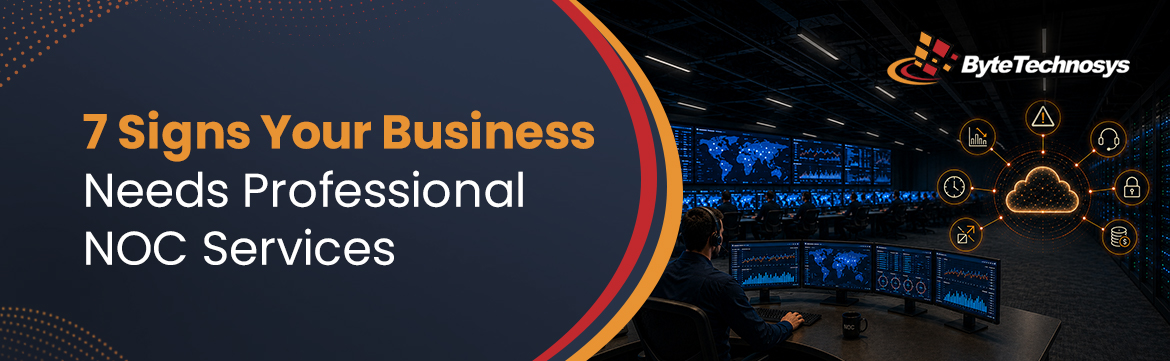
Below are seven signs that usually point to the same conclusion: it’s time to bring in dedicated NOC monitoring. We’ll also cover what a network operation center actually does, and what to look for if you decide to hire one.
What Is a Network Operation Center?
A network operation center, or NOC, is a team whose entire job is watching your IT systems. Not occasionally checking in, but actually watching, all day and all night, across your network, servers, and applications.
The simplest way to think about the difference between a NOC and a regular helpdesk is this: a helpdesk reacts to problems you report. A NOC is already looking for the problem before you know it exists.
We’ve written a more detailed breakdown of how a NOC operates and what tools it typically uses in our guide to what a network operations center does, if you want to go deeper on the fundamentals.
You Hear About Downtime From Customers Before Your Own Team Notices
This is usually the sign that makes people finally pick up the phone and look into NOC services. A server goes down or an application stops responding, and the first message you get isn’t from IT. It’s from a customer, wondering why nothing is working.
This isn’t a failure of your team’s effort. It’s a coverage gap. Nobody was actively watching that system at that specific moment, so nobody caught it early.
That gap is exactly what NOC monitoring closes. Instead of waiting for someone to notice and report a problem, a NOC team is tracking systems continuously and responding the moment something looks off, often before it has any visible impact on your customers at all.
Your Network Slows Down Gradually, Then All at Once
Network problems rarely show up as one dramatic failure. They build slowly. A bit more latency here, a device that’s been acting strange for a week, bandwidth creeping toward its limit. None of it feels urgent on its own, until the day it all adds up and everything grinds to a halt.
Without someone tracking network performance on a consistent basis, these small signals go unnoticed. They only get attention once they’ve become a real problem affecting actual work.
This is where network performance monitoring earns its keep. It’s not about waiting for a failure. It’s about catching the slow build-up while it’s still small enough to fix without anyone noticing.
Server Problems Build Up Quietly Until They Don’t
Servers usually give warning signs before they fail. Memory usage climbs. Storage gets tighter. CPU load spikes more often than it should. The problem is that these warning signs mean nothing if nobody’s checking for them regularly.
Server health monitoring exists specifically for this. Instead of finding out about a failing server after it’s already down, a NOC team tracks resource usage continuously and flags issues while there’s still time to fix them properly, not scramble to recover from a crash.
The difference in cost and stress between catching a resource issue two weeks early and dealing with an actual outage is significant. One is a routine fix. The other pulls your whole team off whatever they were working on.
Your Applications Slow Down and Nobody Can Explain Why
Customers usually notice a slow app before your internal team does. Pages take longer to load. Transactions stall halfway through. Support tickets start piling up, and half of them just say something like “it feels slow” without much else to go on. Tracking down the actual cause across servers, APIs, and databases can take hours, sometimes days, without the right visibility.
Application performance monitoring gives you that visibility. It keeps an eye on transactions, API calls, and how users are actually moving through the app in real time. So when something slows down, you’re not stuck guessing or digging through logs for hours, you already know where to look.
This matters more than it might seem, especially if a customer-facing app is what actually brings in revenue. A couple extra seconds of load time doesn’t sound like much, but it adds up in ways that show up on the bottom line.
You’ve Outgrown Keeping Track of Everything Manually
Most businesses start out simple. One server, maybe one cloud account, easy enough to keep an eye on without much effort. Then things grow. Suddenly there’s AWS, Azure, a few on-premises servers, and half a dozen tools that all need to talk to each other, and nobody has one clear view of how it all fits together anymore.
That’s usually the point where manual tracking stops working. Infrastructure and cloud monitoring solves this by giving you a single, unified view across hybrid, on-premises, and cloud environments, instead of switching between five dashboards and hoping nothing important slips through.
Database Slowdowns Are Quietly Affecting Your Core Workflows
Databases rarely fail loudly. They fail slowly. A query that takes a little longer each week. Replication that’s falling behind without anyone tracking it. A connection pool that’s running low on headroom. By the time it’s obvious, it’s already been affecting the applications and workflows built on top of it for a while.
Database monitoring keeps a constant eye on query performance, replication health, and connection stability. It catches slowdowns while they’re still minor, rather than after they’ve turned into a real risk to your data or your uptime.
If your team has ever spent an afternoon trying to figure out why “everything just feels slow today” without finding a clear answer, this is usually where the actual problem was hiding.
Your Internal Team Doesn’t Have the Bandwidth for Round-the-Clock Coverage
This last sign isn’t about a specific technical failure. It’s about capacity. Most internal IT teams are small. Covering nights, weekends, and holidays on top of everything else just isn’t realistic for most businesses, so something has to give. Monitoring is usually the first thing that gets pushed aside, not because anyone thinks it’s unimportant, but because there’s only so much a small team can do at once.
Building a full in-house team for round-the-clock coverage costs a lot, and for most mid-sized businesses, the math simply doesn’t work out. This is the exact gap managed NOC services are built to fill. You get continuous coverage without carrying the cost of hiring and staffing your own around-the-clock team.
We’ve worked with businesses that came to us in exactly this position. Their internal teams handled day-to-day work well, but there were real gaps overnight and on weekends. Once dedicated NOC monitoring was in place, several of them told us the same thing: fewer surprises, less scrambling, and a much calmer relationship with their own infrastructure.
What to Look for in a NOC Services Provider?
If a few of these signs sound familiar, here’s what to check before choosing a provider:
- Actual response time commitments. Ask for real SLAs in writing, not general promises.
- Full monitoring coverage. A lot of providers advertise “24/7 monitoring” but only mean uptime pings. Ask specifically whether they cover network, server, application, and database layers, because that’s where most real problems start.
- Clear, ongoing reporting. You shouldn’t have to take a provider’s word for it that things are being watched. Ask what reporting looks like week to week, not just what shows up on the monthly invoice.
- Room to scale. Your infrastructure today probably won’t look the same in two years. Make sure whoever you hire can handle on-premises, cloud, and hybrid setups now, and still keep up once you’ve grown into something bigger.
- Real incident response, not just alerts. Getting notified that something broke isn’t the hard part. Ask how the provider actually investigates and fixes the root cause, not just how fast they send a message.
How ByteTechnosys’s NOC Services Help
Our team keeps a constant watch over networks, servers, applications, and databases, and steps in the moment something looks off, well before it turns into downtime you’d actually notice. We support on-premises setups, cloud environments, and hybrid infrastructure, and our plans are built to grow alongside your business rather than lock you into something you’ll outgrow in a year.
If any of the signs above sound like where your business is right now, it’s worth a conversation. You can explore our NOC services or get in touch for a free consultation.
Frequently Asked Questions
Q: What is a Network Operations Center (NOC)?
Basically, it’s a team whose whole job is watching your IT systems, all day, every day. They’re not just there for when something breaks. Someone’s actually watching your network, servers, and apps day to day, so small issues get caught early, usually before you’d even know anything was off.
Q: How is NOC monitoring different from regular IT support?
Regular IT support waits. Someone has to notice a problem and tell them before they do anything. NOC monitoring works the other way around. Since the team is already watching, a lot of issues get caught and fixed before anyone even realizes something went wrong.
Q: Do I actually need NOC services, or can my team handle this themselves?
It comes down to how much your team can realistically cover. If they’re already stretched thin during the day and nobody’s watching things overnight or on weekends, that gap is usually where problems slip through, and that’s exactly the gap NOC services are built to close.
Q: What does a NOC actually keep an eye on?
More than just whether your systems are up or down. A solid NOC covers your network, servers, applications, and databases too, since that’s usually where trouble starts long before it turns into an outage anyone notices.
Q: What does it cost to get NOC services?
That depends on how big your setup is and how much coverage you actually need. ByteTechnosys offers a few different plans, so you can start with something that fits where your business is right now and move up as things grow.

Amit Suthar is a Manager at ByteTechnosys, having grown into the role over more than 12 years working across project management, people leadership, and infrastructure. His path started as a Systems Administrator, and from there, steady growth took him into this role. Along the way he is picked up strong hands-on skills in Windows, Linux, AWS, Azure, Microsoft 365, and virtualization, and holds certifications in both AWS and Linux.