It is 2 AM. Your company’s network starts slowing down for no obvious reason. Within a few minutes, systems start going offline one by one. Your on-call IT person jumps in to investigate, expecting maybe a hardware fault or a failed update. But what they find is something far worse. It was not a performance glitch. A ransomware attack had been quietly running inside the network, and it used the slowdown as cover.
So who should have caught it? Was it the NOC’s job? The SOC’s? Or was this exactly the kind of situation where you needed both working together?
If questions like this have been on your mind, you are in the right place. NOC and SOC are two of the most talked-about terms in IT operations today, and also two of the most misunderstood. A lot of businesses either mix them up or assume they serve the same purpose. They do not.
This guide will walk you through what each one actually does, where they are different, where they cross paths, and most importantly, help you figure out which one your business genuinely needs right now.
The simplest way to remember the difference:
The NOC asks: “Is everything working?” The SOC asks: “Is everything safe?
Both of those questions matter. And in a real business environment, you need reliable answers to both at the same time.
What Is a NOC (Network Operations Center)?
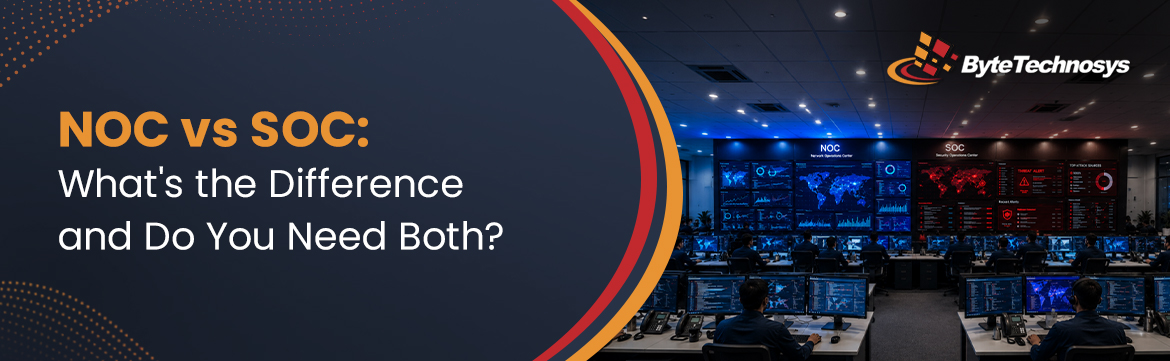
Let’s start from the beginning. A Network Operations Center, or NOC (you say it like “knock”), is a centralized team or facility where IT professionals keep watch over your entire network infrastructure around the clock. Every hour of every day, including weekends and holidays. A good way to picture it: think about air traffic control at a busy airport. Those controllers are not flying the planes, but nothing moves safely without them. They are watching every signal, every route, every potential conflict in real time. A NOC does the same thing for your IT environment. It is not building your systems, but it is making sure everything keeps running the way it should.What Does NOC Monitoring Actually Cover?
When a NOC team sits down at their workstations, they’re not passively watching screens. They’re actively reading the pulse of your entire infrastructure. Here’s what they’re tracking, every single day, without exception:- Servers and cloud infrastructure Is performance holding steady? Is availability where it needs to be? Is capacity quietly creeping toward a number nobody planned for? These aren’t set-and-forget questions.
- Routers, switches, and firewalls Connectivity needs to stay solid, and configuration health matters just as much. A single setting that drifts out of place can create problems that are surprisingly hard to trace back to the source.
- Bandwidth and network traffic Unusual spikes and unexpected slowdowns both tell a story. A good NOC team doesn’t just notice them, they read into what’s actually causing them.
- Applications and databases Response times and error rates are two of the clearest early warning signs that something is off. By the time users are complaining, the window to get ahead of it has already closed.
- Endpoints and IoT devices Uptime matters, but patch status matters just as much. Devices that are online but unpatched are a risk that’s easy to underestimate.
- Backup systems Having backups and having working backups are two very different things. A NOC team confirms that your recovery processes will actually hold up when you need them, not just that the files exist somewhere.
What Are the Core NOC Services?
Watching is just the starting point. A NOC actively manages your environment, it doesn’t just observe it. Here’s what that looks like in practice:- Proactive incident detection and resolution The goal is to find problems before your users ever feel them. That requires constant attention and analysts who know what normal looks like for your specific environment.
- Patch management Keeping software and firmware current across every device on your network isn’t glamorous work. But falling behind on it is one of the most reliable ways to end up in a difficult situation.
- Backup and disaster recovery monitoring Your safety net only matters if it’s actually there when you need it. A NOC actively checks that your recovery processes are intact, so you’re not discovering a problem in the middle of an already bad day.
- Vendor and ISP coordination When a third-party issue surfaces, your NOC handles it. The calls, the tickets, the follow-up, all of it, so your internal team can stay focused on what they were hired to do.
- Reporting and documentation Every incident, every change, every resolution gets documented. That record matters more than most people realize, for audits, for compliance, and for making smarter decisions about your infrastructure going forward.
So Who Actually Needs NOC Services?
Any business where network downtime directly hurts operations or revenue. That covers telecom providers, banks, hospitals, online retailers, and Managed Service Providers who are responsible for keeping their clients up and running. But honestly, if your business depends on its systems being available during working hours, you have a stake in what a NOC does.What Is a SOC (Security Operations Center)?
Now for the other half of this conversation. A Security Operations Center (SOC) is your organization’s dedicated cybersecurity team. Where the NOC is focused on keeping things running, the SOC is focused on keeping things safe. If the NOC is air traffic control, the SOC is more like the detective unit. It is not waiting for something to go wrong. It is actively hunting for threats, watching for behavior that does not add up, and moving fast the moment something suspicious surfaces. A SOC team has eyes on your digital environment around the clock. When a threat shows up, they are not filing a report and scheduling a follow-up. They are investigating it in real time, containing it before it spreads, and cleaning it up before it turns into the kind of incident that ends up in a boardroom conversation.What Does a SOC Actually Do Day-to-Day?
The SOC handles the security side of your IT world. Here’s what a typical day in the SOC actually looks like:- Threat detection and monitoring Logs, endpoints, user activity. SOC analysts are scanning all of it, constantly looking for anything that doesn’t fit the pattern. Most of the time it’s nothing. But the one time it isn’t, catching it early makes all the difference.
- Vulnerability management Finding the weak spots in your systems before an attacker does is a full-time job in itself. The SOC stays on top of what’s exposed and prioritizes what needs to be addressed first.
- Incident response When something is confirmed, speed matters. The SOC steps in quickly to contain the threat, limit the damage, and start removing it from your environment before it spreads.
- Threat intelligence The threat landscape shifts constantly. New attack techniques, new malware patterns, new tactics circulating in the wild. The SOC stays informed so your defenses aren’t always playing catch-up.
What Tools Does a SOC Use?
SOC analysts don’t work off instinct alone. Here’s the technology that makes all of that possible:- SIEM tools Think of platforms like Splunk, IBM QRadar, and ArcSight as the central nervous system of any SOC operation. They pull logs from every corner of your environment, connect the dots between them, and surface alerts when something starts looking off.
- Endpoint Detection and Response (EDR) Basic antivirus checks boxes. EDR actually watches what is happening at the device level in real time. So when something behaves suspiciously, it gets flagged, even if nobody has seen that exact threat before.
- Threat intelligence feeds The threat landscape does not sit still. These feeds keep SOC analysts updated on known attackers, active malware campaigns, and tactics that are circulating right now, so they are working with current context, not yesterday’s picture.
- User and Entity Behavior Analytics (UEBA) Sometimes the threat is already inside. UEBA tools build a baseline of normal behavior for users and systems, then flag anything that deviates from it in a meaningful way.
Who Really Needs a SOC?
If your organization holds sensitive data of any kind, a SOC is not optional, it is necessary. We are talking about financial records, patient information, customer personal data, and intellectual property. Industries like banking, healthcare, legal services, and government deal with this every day. They are also among the most targeted by attackers, and they carry compliance requirements that make having a SOC a practical requirement, not just a nice-to-have.NOC vs SOC — Same Environment, Completely Different Jobs
Here is where the confusion usually kicks in. Both teams monitor your IT environment. Both work around the clock. Both respond when things go wrong. So why do you need two separate teams? Because they are solving completely different problems.| Feature | NOC (Network Operations Center) | SOC (Security Operations Center) |
|---|---|---|
| Primary Goal | Keep the network up and performing | Keep the network secure from threats |
| Focus Area | Availability, performance, uptime | Cybersecurity, threat detection, compliance |
| What They Monitor | Servers, routers, bandwidth, cloud, apps | Logs, user behavior, vulnerabilities, endpoints |
| Responds To | Outages, slowdowns, hardware failures | Malware, phishing, unauthorized access, breaches |
| Key Metrics | Uptime %, response time, packet loss | Mean time to detect (MTTD), incidents resolved |
| Main Tools | SolarWinds, PRTG, Nagios, Datadog | Splunk, QRadar, CrowdStrike, Darktrace |
| Skill Set | Network engineering, infrastructure management | Cybersecurity, threat analysis, digital forensics |
| Works Best With | NOC for performance context | SOC for security context |
Where NOC and SOC Work Together (And Why That Makes All the Difference)
This is the section most blog posts on this topic skip over. Which is a mistake, because it is probably the most important part to understand. The NOC and the SOC are watching the same infrastructure. They often see the same data flowing through the same systems. But because they are trained to look for different things, they interpret that data in completely different ways. And that gap between two different interpretations is exactly where real threats hide. A Real-World Example That Makes This Clear Your NOC monitoring tool fires an alert: “Outbound traffic has spiked 400% on Server 12.” The NOC team digs in. From where they are sitting, this looks like a standard performance issue. Maybe a backup job kicked off at the wrong time, or a process is misconfigured. They throttle the traffic and close the ticket. Problem solved, as far as they can tell. What they had no way of knowing: that traffic spike was data being quietly moved off the server to an external location. An attacker had been sitting inside the network for three days already. Without the SOC’s threat intelligence, behavioral baselines, and security log analysis, the NOC team saw a performance blip instead of an active breach. That is how some of the worst incidents happen. Not because no one was watching, but because the wrong team was the only one watching.The Most Common Overlap Challenges
- Alert fatigue Both teams get buried in low-priority notifications. When everything is urgent, nothing is. Critical signals get missed.
- Ambiguous incidents A sluggish server looks the same whether it is failing hardware or malware running in the background. Without both teams, you are guessing.
- DDoS attacks The NOC sees a wall of incoming traffic. The SOC recognizes it as a coordinated attack. Without coordination between them, the response is slower and messier than it needs to be.
- Ransomware It almost always starts with subtle patterns, unusual file access, small permission changes, quiet process activity. To the NOC it looks like background noise.
Do You Actually Need Both? (A Simple Framework to Help You Decide)
Alright, here is what you actually came here to find out.Start With NOC If…
- You are a small or mid-size business and your biggest IT headache right now is downtime and performance
- Cybersecurity is a concern but not your most immediate operational risk
- Budget is tight and you need to pick one to start with
- You operate in a lower-risk industry without strict data handling requirements
Prioritize SOC If…
- Your business handles sensitive customer, financial, or health data
- You have already dealt with a security incident, even a small one
- You are subject to compliance regulations like HIPAA, GDPR, or PCI-DSS
- Your industry is a known target for cybercriminals
You Need Both If…
- You are running 24/7 operations where both downtime and breaches carry serious consequences
- You are a growing enterprise that has outgrown a small combined team handling everything
- You are an MSP and your clients are depending on you for both uptime and security
- You want to compete for larger contracts where enterprise-level coverage is expected
Quick Self-Assessment Checklist
Take a few minutes to go through this honestly:NOC Readiness:
- Do you have 24/7 visibility into your network’s health?
- Are you finding issues before your users call to report them?
- Is there a clear escalation process when something breaks?
- Are patches and firmware updates handled consistently across all devices?
SOC Readiness:
- Are you monitoring for unusual user or system behavior?
- Do you have a written incident response plan that your team has actually practiced?
- Are you tracking threat intelligence that is relevant to your industry?
- Could you detect a breach within hours rather than days?
What Happens When You Integrate NOC and SOC
If you have both a NOC and a SOC but they are working independently, you are still leaving risk on the table. The real value comes when they are integrated, sharing data, sharing context, and coordinating their responses.What Integration Actually Looks Like in Practice
It is not just putting both teams in the same room. Integration means:- Unified dashboards that show network performance and security status together, so nothing gets missed because it fell into the wrong team’s view
- Shared escalation workflows so when the NOC spots something unusual, the SOC gets looped in automatically rather than hours later
- Correlated alerts where a performance anomaly gets matched against threat intelligence before anyone draws a conclusion
- Joint response playbooks so both teams already know what to do when an incident crosses both domains
What the Numbers Look Like
Organizations that move to an integrated model typically see:- 40% faster mean time to resolution when incidents hit
- 50% reduction in cyberattack risk for MSPs running integrated operations
- 30 to 40% cost savings from shared infrastructure and eliminating redundant tooling
- Fewer wasted hours chasing false positives because both teams cross-validate their findings
A Small Example with a Big Impact
A NOC analyst starts seeing an unusual volume of DNS requests coming from one particular workstation. Under normal NOC thinking, this is not really a performance issue so it might not get escalated. But in an integrated setup, that same activity automatically gets cross-referenced against threat intelligence. It gets flagged as possible command-and-control communication, which is an early warning sign that a device has been compromised. The SOC isolates it within minutes. Running separately, that device could have been the starting point for a network-wide compromise. Running together, it gets caught early.Build It In-House or Outsource? Here Is How to Think About It
Once you have decided you need NOC and/or SOC coverage, the next practical question is whether to build it internally or bring in a managed provider.Building Your Own Team
What works well:
- You have direct control over how everything is set up and run
- Your team develops deep, specific knowledge of your own environment
- Tighter integration with other internal teams and processes
What gets difficult:
- Running true 24/7 operations requires at least 4 to 6 full-time people per function just to cover shifts reliably
- Hiring and keeping good cybersecurity talent is genuinely hard right now
- The tooling costs alone, before salaries, can run into six figures annually
- A realistic all-in budget for a properly staffed dual NOC/SOC is $500,000 to $1 million or more per year
Going with Managed NOC Services
What works well:
- You get enterprise-level expertise without having to hire and train an entire department
- Coverage starts quickly rather than after a six-month hiring process
- Your tools and threat intelligence stay current without you managing it
- You can scale up or down as your business changes
What to watch out for:
- You have less direct visibility into day-to-day operations
- The quality of your SLA agreement matters a lot, so read it carefully
- The first few months involve a knowledge transfer period that takes real time
When Does Outsourcing Make the Most Sense?
It is worth considering seriously if your IT team is already stretched thin, if hiring specialists in your market is proving difficult, or if you are an MSP that wants to add premium coverage for clients without the overhead of building it from scratch. A lot of MSPs go the white-label route, partnering with a specialist provider and offering those services under their own brand.Final Takeaways and the Questions That Come Up Every Time
NOC and SOC are not the same thing, and they are not competing for the same budget. They cover different risks. Your NOC handles availability and performance. Your SOC handles security and threats. When they work together, they cover the full picture. When they work separately, or when one is missing entirely, you have gaps that attackers know how to find.- The NOC makes sure your business keeps operating.
- The SOC makes sure what is operating stays protected.
- Together, they give you the full coverage that modern IT environments require.
Questions Most People Have Before Making a Decision
Q: Is a NOC the same as a SOC?
No, they are quite different. A NOC is focused on network performance and keeping systems available. A SOC is focused on cybersecurity and identifying threats. They both monitor the same infrastructure, but for completely different reasons and with different skill sets.Q: Can a single team realistically handle both?
It is possible in small organizations, but it creates real problems as you grow. The expertise required for network operations and for security analysis are genuinely different. Teams that try to do both end up doing neither particularly well. At a certain size, splitting them becomes necessary rather than optional.Q: Which industries need NOC monitoring the most?
Telecom, financial services, healthcare, e-commerce, education, and any government-adjacent operation. Basically anywhere that network availability is directly tied to revenue, service delivery, or public safety.Q: What does managed NOC service actually cost?
For outsourced 24/7 NOC coverage, most businesses are looking at $15,000 to $30,000 per month depending on the size of the environment, the SLA terms, and whether security monitoring is included. Costs can vary quite a bit based on your specific setup.Q: When should an MSP start offering SOC services?
When your clients start handling more regulated or sensitive data, when security incidents start showing up in your client base, or when you start losing competitive bids because you cannot demonstrate security coverage. Most MSPs that make the move find it opens doors to larger, more profitable contracts.Q: What is the right first step for setting up NOC monitoring?
Start by mapping out everything on your network. Every device, every system, every connection point. Establish what normal performance looks like as a baseline. Then bring in your monitoring tools and define exactly who does what when an alert fires. A clear escalation process is what separates a real NOC from a dashboard nobody acts on.Conclusion
Forget the NOC vs SOC debate for a second. That’s not really the point. The real question is simple: can you see what’s happening in your systems before something breaks or gets attacked? A NOC keeps your network running. It watches for slowdowns, outages, and performance issues. A SOC watches for threats. It catches attacks before they turn into real damage. Both are important. Neither one does the other’s job. Most businesses don’t plan to have gaps. It just happens over time. One team gets busy. Then busier. Something slips through. That’s usually when problems show up. This is why more companies are combining network and security operations. It closes the gaps. It speeds up response time. And it gives your business a stronger setup as you grow. So if you’re reviewing your NOC setup, or just wondering if your monitoring is good enough, start here: find out where your blind spots are right now. That’s usually where the next problem will come from. Your network keeps your business running. It’s worth protecting the right way, not just fixing it after something breaks. Want help figuring out where your gaps are? ByteTechnosys can take a look and show you what a stronger setup could look like. Reach out for a free consultation.
Himani Shah is a Manager – Modern Workplace at ByteTechnosys with 13 years of experience in the Managed IT Services industry. For the last 3 years she has been working mainly on Microsoft 365 Pre-Sales and project management, including migrations, digital workplace projects, cloud support and service delivery. She collaborates with clients and teams to identify requirements, mitigate project risks, and support the expansion of the Managed IT Services practice.